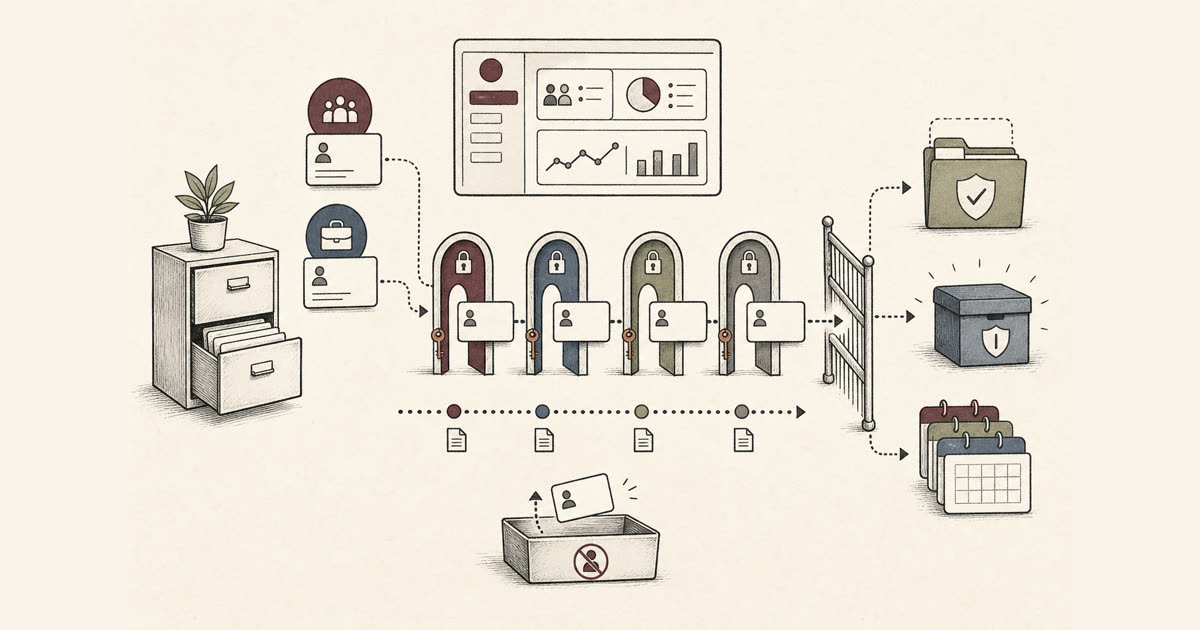

A practical guide for Indonesian SMEs to review access, logs, exports, and account controls inside business apps that store customer and employee data.
The common SME reality
Customer and employee data usually enters the business long before the company has a formal system. Names, phone numbers, addresses, attendance notes, payment proof, and complaint history often move through chats and spreadsheets.
That works while the team is small. As branches, shifts, sales channels, and admin roles grow, the same habit creates risk. People can see more data than they need and nobody is sure which record is the latest.
For an owner, the impact reaches daily operations. Messy access slows service, payroll checks, customer follow up, and internal accountability. The cost appears as rework and awkward explanations.
PDP is an operational reminder
Indonesia's Personal Data Protection Law gives businesses a clear reminder to treat personal data with care. This article is not legal advice. It looks at what the reminder means when a business system is designed or improved.
A practical system should help the team know what data is collected, who uses it, why it is needed, and how long it stays useful. Those choices are easier to set before the database becomes crowded.
PDP readiness is not panic work. It is routine discipline. The same controls that reduce privacy risk also make operations cleaner and reports easier to trust.
Minimum controls inside business apps
Start with role based access. A cashier may need transaction details, while HR needs attendance and payroll inputs. A branch supervisor may need local customer history, while the owner sees summaries across the business.
Add clear approval flows for sensitive changes. Salary edits, customer data exports, membership changes, discounts, refunds, and account deletion should leave a trace that a manager can review.
Keep audit logs simple and useful. Record who changed important data, when it changed, and what changed. A log that nobody can read during a dispute is only decoration.
Limit exports and downloads. Many leaks do not begin with advanced attacks. They begin with a spreadsheet copied to a personal device because the system made that the easiest path.
Protect accounts with sensible defaults. Unique user accounts, strong passwords, session timeout, and quick deactivation for resigned staff are basic controls that small teams often postpone.
Sector examples that matter
A clinic or beauty service may store customer history, appointments, consent notes, and payment records. Staff should see what supports service delivery, not every private note across all branches.
An LPK or training center may manage student identity data, class progress, certificates, instructor schedules, and invoices. Access should follow the job, especially when part time instructors are involved.
Retail and F&B teams often share POS access too casually. When refunds, loyalty points, vouchers, and shift cash data share one login, it becomes hard to separate error from misuse.
Contractors and service firms may hold client contacts, site documents, worker records, and project costs. A project dashboard should separate field updates from commercial details.
What to review before changing systems
Before building or replacing an app, map the personal data that moves through daily work. Include customers, employees, vendors, students, patients, members, applicants, and emergency contacts if they exist.
Then decide the access model before the screens are designed. If every role starts as admin, privacy and accountability will be patched later under pressure.
Check how the system handles exports, backups, user removal, password reset, file attachments, and mobile access. These small details often decide whether the system stays safe in real use.
Ask for evidence in the build plan. A vendor should be able to explain access levels, logs, hosting choices, basic security practices, and handover steps without hiding behind vague technical language.
Sources used
Source basis for this operational view includes UU RI No. 27 Tahun 2022 tentang Pelindungan Data Pribadi, NIST Cybersecurity Framework 2.0, and OWASP Top 10.
A practical next step
If your business app already holds customer or employee data, review access and exports first. That is usually where risk and confusion appear fastest.
Sundie can help turn that review into a practical system plan, whether you need a new dashboard, POS workflow, attendance module, client portal, or maintenance pass on an existing app.